
About
PommeToys brings several useful Mac enhancements together in one app. Hover over a Dock icon to preview and switch between its windows, see real window thumbnails in Command-Tab, and adjust the speed, direction, and smoothness of mouse-wheel scrolling. It also includes smaller tools such as shaking a window to hide the others and a keyboard shortcut for hiding all windows, with more features in development.
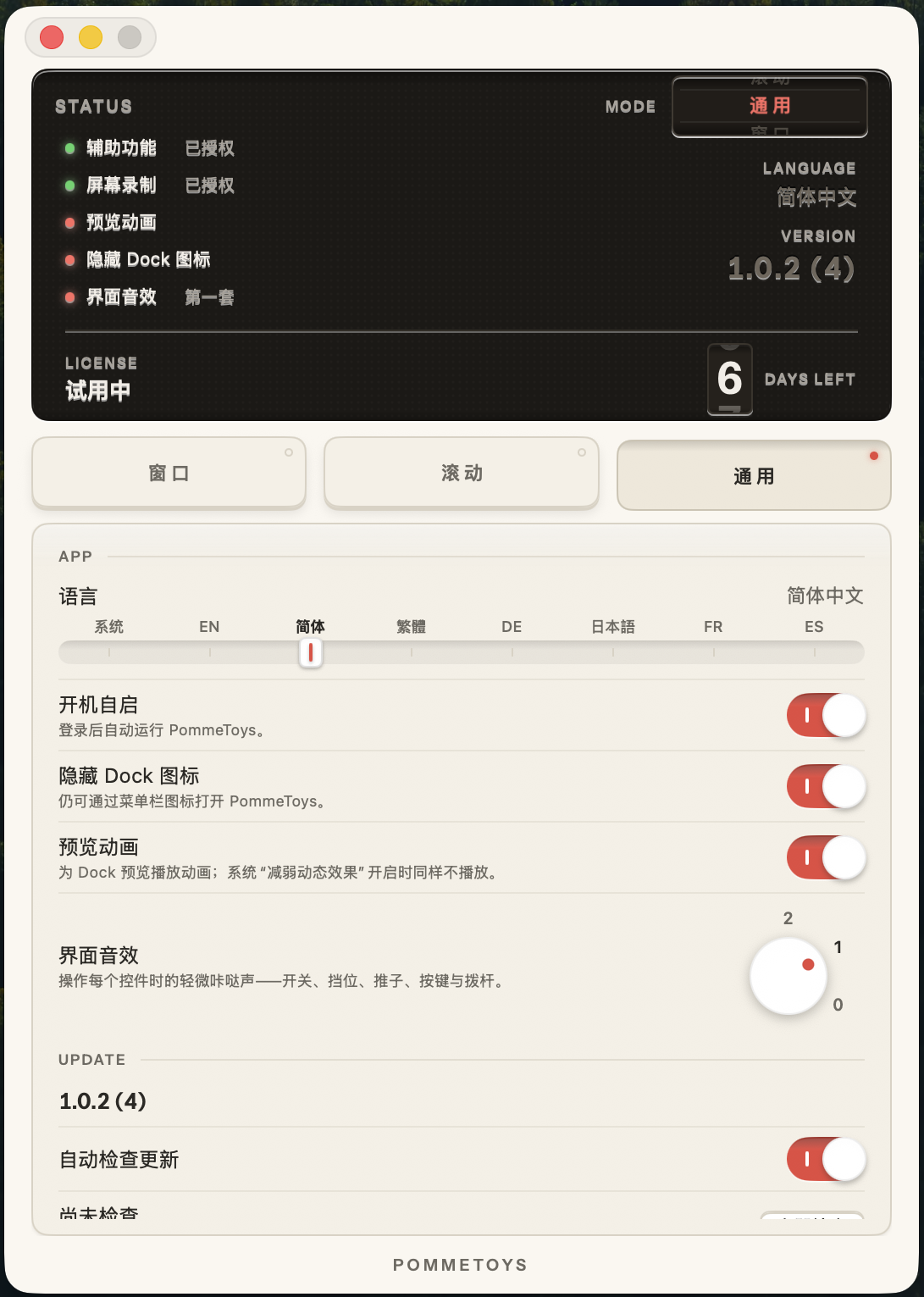
Instead of a conventional settings sidebar, PommeToys uses a small Dieter Rams-inspired instrument panel with physical-style keys, switches, and a status display. Different controls have their own distinctive sounds, making the app playful and tactile to use. You can try an interactive version of the interface on the website without downloading anything.
An interactive version of the control panel is available on the website. No download is required—you can try the buttons, switches, knobs, and interface sounds directly: https://pommetoys.app/#try
No account is required. It supports seven languages and requires macOS 26 or later. The app includes a full-featured 14-day trial, followed by a one-time purchase of $14.99 for use on two Macs. The launch price is $9.99.
Website: https://pommetoys.app/

