
About
Notebook Skill (Zhi Ya) Product Introduction
1. Product Overview
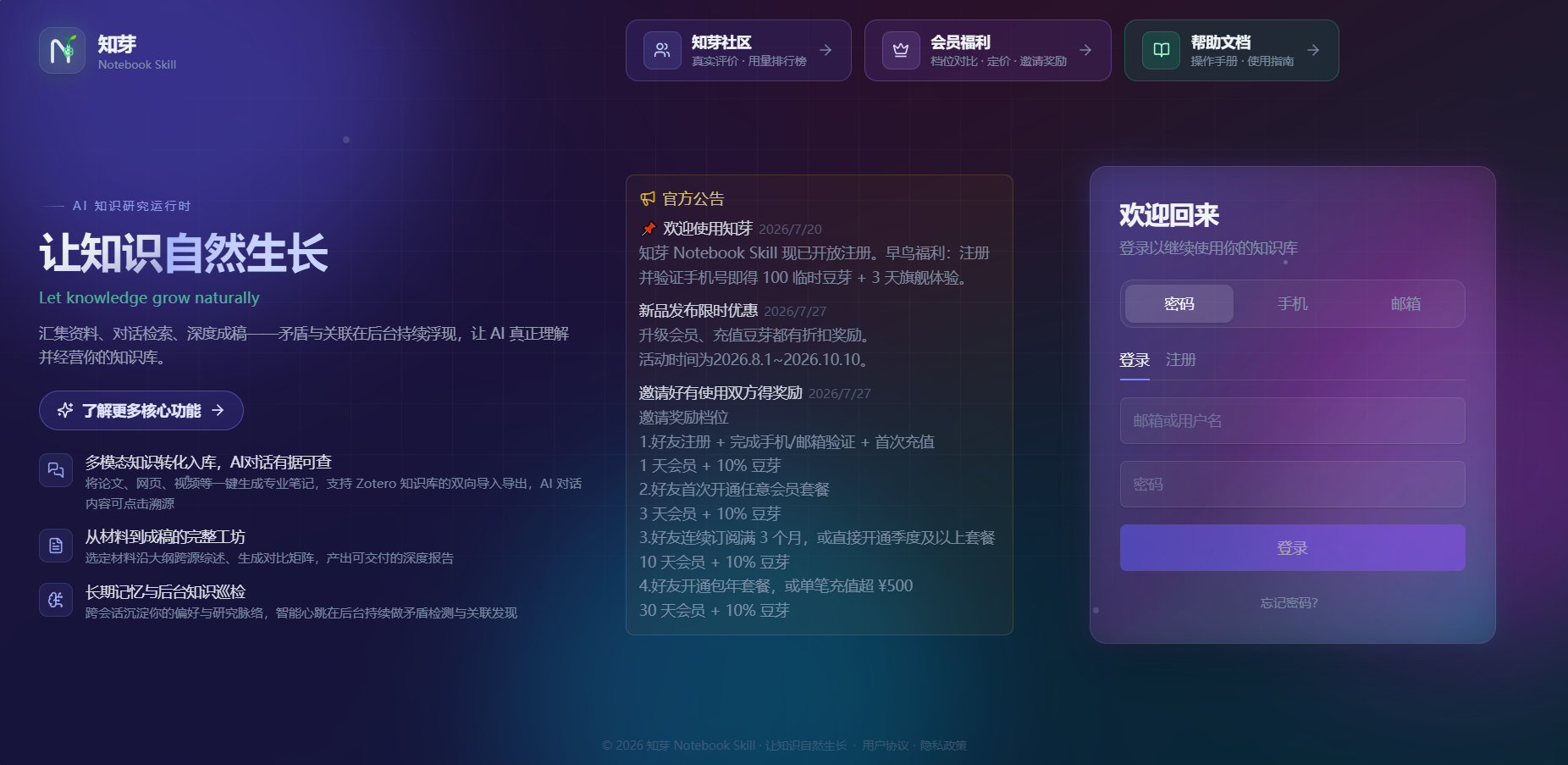
Notebook Skill (Zhi Ya) is an AI-native knowledge management and creation tool. It is not a traditional note-taking app, nor a simple chatbot — it is an intelligent workbench that can deeply understand all your documents, proactively help you discover knowledge connections, and complete complex research tasks via standardized workflows.
Its core mission is 'Let knowledge grow naturally' — every piece of material you feed it, every conversation you have, and every idea you share will accumulate, connect, and ferment in Notebook Skill, gradually growing into a personal knowledge base that understands you better the more you use it.
Product Positioning
- Intelligent engine for personal knowledge bases: No longer just a place to store notes, it brings your notes to life — you can chat with them, reason with them, and uncover connections between them.
- Incubator for research questions: Helps you evolve vague ideas step by step into concrete research questions, literature reviews, and conclusions.
- Workbench for content production: Generate in-depth research reports, comparison matrices from multiple sources with one click, or assemble full drafts based on your writing outline.
Core Value Propositions
Keyword Breakdown
Make knowledge conversational Ask questions just like you would chat with a person. The AI provides answers with accurate citations based on all documents you upload — every citation is verified for existence, eliminating the problem of 'AI making up fake papers'.
Let insights emerge automatically The system silently analyzes your knowledge base in the background, proactively sends alerts when it finds conflicting viewpoints, suggests exploring potential cross-domain connections, and automatically generates a weekly 'cognitive briefing' for you.
Standardize complex tasks Built-in 'Skill' mechanism lets you trigger standardized multi-step workflows with a single sentence, delivering predictable, high-quality results.
2. Core Feature Highlights
Progressive Queryable: Upload and use immediately, no waiting required When you upload a PDF of hundreds of pages, Notebook Skill splits it by chapter, and vectorizes each chapter one by one. Once the first chapter is processed (usually in just a dozen seconds), you can ask questions about that chapter right away, no need to wait for the entire document to finish processing.
Five-Path Context Assembly: Answers are evidence-based, coherent, and context-aware In a single response, Notebook Skill assembles five types of context simultaneously:
- Long-term memory (your user profile and preferences)
- Conversation history (the last ~10 rounds of dialogue)
- Related notes
- Anchored content (the single content source you specify)
- Incubation items (inspiration context initiated from the incubation zone)
- Hybrid Retrieval + Citation Verification: Accurate results, no made-up content Three parallel recall paths are fused together: vector semantic retrieval + full-text keyword retrieval + unit memory retrieval, with results merged via RRF (Reciprocal Rank Fusion).
Two layers of credibility assurance:
- Citation existence verification: Every citation marker in the response is checked to confirm it actually exists in the retrieved segments. Invalid citations are replaced or deleted.
- Zero-hit abstention: When no relevant evidence is found, Notebook Skill will honestly inform you instead of making up an answer.
- Background Heartbeat: Let insights come to you proactively Notebook Skill has a set of 'heartbeat' background tasks that run automatically at the frequency you set:
- Conflict detection: Compares across your notes to spot contradictory viewpoints and pushes resolution alerts
- Unexpected connection scan: Discovers potential links between cross-topic materials
- Cognitive briefing: Summarizes what you've learned recently and your knowledge gaps every week, and saves it as a note
- Memory consolidation / memory decay / profile synthesis: Continuously maintains your long-term memory
- Paper tracking (disabled by default): Pulls the latest papers based on the arXiv topics you subscribe to
- Long-term Memory: Understands you better the more you use it Notebook Skill automatically accumulates a profile and memory 'about you' as you use it:
- Automatic learning: After each round of dialogue, it 'distills' your facts and preferences, which are aggregated into your profile roughly every 24 hours
- Automatic application: Injects relevant profile sections during conversations and content generation, and shows a 'Based on your preferences' tag when relevant memories are retrieved
- Fully controllable: You can view your profile, confirm, edit or delete each preference, and clear all AI memory at any time
- Three Generation Engines: From source materials to finished drafts Notebook Skill offers three long-form content generation engines:
| Engine | Applicable Scenarios | Features |
|---|---|---|
| In-depth Research Report | In-depth review of large volumes / ultra-long content sources | Performs map-reduce on full text of each source, covers all content, and automatically generates a GB/T 7714 formatted reference list |
| Comparison Matrix | Horizontal comparison of multiple documents | Customizable comparison dimensions, each cell includes clickable citation sources |
| Outline-based Draft Assembly | Assemble drafts according to your writing outline | Integrates materials node by node, restores hierarchical headings |
There is also an AI Note Generation (Direct Feed Track) feature for lightweight organization of up to 3 documents, approximately 30,000 words in total.
3. Target Users and Typical Use Cases
| User Type | Typical Use Cases |
|---|---|
| Graduate students / scholars | Upload dozens of PDFs for the AI to quickly extract core viewpoints, compare contradictions, and generate literature reviews and comparison matrices; batch import bibliographic records from CNKI / Zotero |
| Product managers / analysts | Collect competitor documents, market reports, and Bilibili interview videos, build 'question dashboards' to track research questions, and receive unexpected connection alerts to spark creativity |
| Creative workers / writers | Save inspiration snippets to the incubation zone while reading, drag and drop to piece together ideas, chat with the AI to expand your thinking, and generate full drafts with one click based on your outline |
| Lifelong learners | Organize personal knowledge bases, and check the weekly 'cognitive briefing' regularly to stay updated on trends in your areas of interest |
| Team / project knowledge administrators | Maintain project knowledge bases, run health checks, resolve contradictory viewpoints, and use paper tracking to stay on top of the latest papers in the field |
4. Core Differences from Traditional Tools
Notebook Skill has fundamental differences from traditional note-taking software and standard RAG (Retrieval-Augmented Generation) conversational tools across multiple dimensions.
In terms of knowledge organization: Traditional note-taking software relies on a folder + tag system, where a single file can only be stored in one folder, offering limited categorization options; standard RAG tools have no organization concept at all, with all files mixed together. In contrast, Notebook Skill offers six organizational dimensions: projects, notebooks, notes, content sources, categories, tags, and relations. It supports many-to-many associations, so a single piece of knowledge can belong to multiple projects, notebooks, or categories at the same time, enabling truly flexible multi-dimensional management.
In terms of retrieval methods: Traditional software only supports exact keyword matching — if it can't find a match, that's it. Standard RAG tools introduce vector semantic search, but most lack a multi-path fusion mechanism. Notebook Skill uses a three-path hybrid retrieval system: vector semantic retrieval, full-text keyword retrieval, and unit memory retrieval run in parallel, with results fused and output via RRF (Reciprocal Rank Fusion). For complex questions, you can also manually enable reranking for secondary sorting, making retrieval quality more stable.
Citation credibility is one of Notebook Skill's core advantages. Traditional software has no citation function or requires manual addition of citations; in standard RAG tools, the AI may fabricate citations that users cannot verify. Notebook Skill enforces mandatory citation existence verification: every citation marker is checked to confirm it exists in the retrieved segments, invalid citations are removed directly, and any remaining citations are deleted entirely when there are zero retrieval hits, completely eliminating the problem of 'AI making up fake papers'.
In terms of proactive intelligence: Traditional software and standard RAG tools have no proactive discovery capabilities. Notebook Skill has a built-in 'heartbeat' background task system that automatically runs conflict detection, unexpected connection scanning, cognitive briefing generation and other tasks, proactively monitoring your knowledge base for you to let insights emerge automatically.
When handling complex tasks: Traditional software requires manual completion of multi-step operations, while standard RAG tools require you to describe steps in detail every time and deliver inconsistent results. Notebook Skill's 'Skill' mechanism lets you trigger the system to automatically execute standardized multi-step workflows with a single sentence. Whether it's generating a review, comparison matrix, or outline-based draft, the results are predictable and high-quality.
In terms of question management: Traditional tools have no such concept at all. Notebook Skill provides a dedicated question dashboard, where each question can track its incubation progress, view its evolution timeline, and manage a knowledge raw material pool, making the research process visual and traceable.
In terms of personalization capabilities: Traditional software offers no personalization, while standard RAG tools only maintain memory for the current session. Notebook Skill has a cross-session effective long-term memory profile: the system automatically extracts your facts and preferences from each round of dialogue and every piece of output, aggregates them into an 8-dimensional user profile, and you can view, correct, or even reset these memories at any time.
First-time user experience: Traditional software opens to a blank interface, and standard RAG tools open to an empty chat window, leaving users at a loss for what to do. Notebook Skill provides a new user onboarding process: on first login, it builds an initial profile via a short Q&A, and displays proactive operation suggestions in the interface, greatly lowering the learning curve. The profile will then grow automatically as you use the platform, and be continuously optimized.
One-sentence summary: If you just want a place to store notes, traditional software is enough. If you want an intelligent partner that can help you deeply understand content, provide proactive inspiration, and deliver standardized outputs, Notebook Skill is the better choice.
5. Quick Start (Build your first knowledge base in 5 minutes)
- Create a notebook: Click 'New' → 'New Notebook', then fill in the name and description
- Add content sources: On the notebook details page, click 'Add Content Source', then upload PDF/Word/Markdown/TXT files, or paste webpage / Bilibili links
- Wait for processing: You can start asking questions once the first chapter is processed (about a dozen seconds), no need to wait for the full document
- Start chatting: Select 'Current Notebook' in the AI sidebar on the right, then enter your question
6. Feature FAQ
Q1: How does Notebook Skill back up its claim that its answers are 'evidence-based and never made up'? A: Notebook Skill does three things when generating answers: First, retrieval uses a three-path parallel recall system combining vector, full-text, and unit memory, with results fused via RRF to ensure the retrieved segments are sufficiently relevant. Second, every citation marker in the answer undergoes existence verification — if the citation does not exist in the retrieved original segments, it will be directly replaced with 'Citation source does not exist' or deleted entirely. Third, when there are zero retrieval hits, Notebook Skill will proactively 'abstain', honestly tell you that no relevant evidence was found, instead of making up an answer. You can also click the blue citation markers in the answer to pop up the original segments for verification. This mechanism completely eliminates the problem of AI fabricating literature at the source.
Q2: What is 'progressive queryability'? What practical benefits does it bring to me? A: Traditional tools require you to wait for the entire document to be processed before you can ask questions, which can take a long time for long documents. Notebook Skill splits PDFs by chapter, and opens retrieval and querying for each chapter as soon as its vectorization is complete. Usually, you can start chatting about the first chapter after just a dozen seconds, and you can ask questions while waiting for subsequent chapters to process. For papers or reports of hundreds of pages, this 'process while you use' experience greatly shortens waiting time, letting you dive into deep reading and thinking earlier.
Q3: What exactly can the background 'heartbeat' tasks do for me? A: Heartbeat is a set of AI tasks that run automatically at the frequency you set, equivalent to having a 24/7 online research assistant. It can help you with four types of tasks:
- Conflict detection: Automatically compares notes to find contradictory viewpoints and pushes resolution alerts;
- Unexpected connection scan: Discovers potential links between seemingly unrelated cross-topic materials to spark new ideas;
- Cognitive briefing: Automatically generates a weekly note reviewing what you've learned recently and your knowledge gaps;
- Memory maintenance: Continuously integrates profiles, decays old memories, supplements vectorization, etc., to keep your knowledge base healthy. You can turn each task on or off at any time in settings, or manually trigger it immediately, letting insights come to you proactively instead of you having to search hard for them.
Q4: Can Notebook Skill's 'long-term memory' really understand you better the more you use it? What's the principle behind it? A: Notebook Skill automatically learns from two channels: First, after each round of dialogue, it 'distills' your facts and preferences; second, after you generate notes or video notes, it also extracts your personal signals from the output. These fragments are aggregated into your user profile (USER.md) roughly every 24 hours, which includes 8 sections: basic information, notebook preferences, work habits, dialogue style, note style, etc. During subsequent dialogues and content generation, Notebook Skill injects profile sections relevant to the current task, and retrieves historical memories based on semantics. When an answer references your preferences, a 'Based on your preferences' tag will be displayed. You have full control: you can view, edit, or delete each system inference at any time on the 'AI Memory' page, or even reset all memories with one click to start growing them from scratch.
Q5: What scenarios are each of the three generation engines (in-depth reports, comparison matrices, outline-based drafts) suitable for? A: They are designed for different content production needs respectively:
- In-depth research report: Suitable for comprehensive reviews of large volumes (unlimited number of documents) or ultra-long documents. It performs map-reduce on the full text of each document, covers all materials, automatically generates a complete report with a GB/T 7714 formatted reference list, and marks fact-checking reminders.
- Comparison matrix: Suitable for horizontal comparison of multiple documents. You can customize comparison dimensions (such as research methods, sample size, conclusions, etc.), and each cell in the table comes with clickable citation sources.
- Outline-based draft assembly: Suitable for situations where you have already built a writing outline. The system mounts materials by node, integrates them into coherent text section by section, restores hierarchical headings, and directly delivers a structurally complete first draft. All three engines support custom prompts, and the premium tier also offers a 'professional plagiarism reduction' feature.
Q6: What do 'incubation progress' and 'evolution timeline' on the question dashboard mean? How can they help me? A: The question dashboard treats research questions as first-class citizens for management. Incubation progress is a percentage that represents the richness of associated materials and the current advancement stage of the question, which changes automatically as you add materials and update status, letting you intuitively judge the maturity of the question. The evolution timeline records all key events in the process of a question moving from 'to be explored' to 'solved' (such as adding raw materials, status changes, generating briefings, etc.), fully preserving the research trajectory. You can associate a knowledge raw material pool with the question at any time, generate a progress briefing with one click, or search for contradictory viewpoints directly within the question — the entire research process becomes traceable and reviewable, no more relying on memory.
Q7: What's the difference between the incubation zone and regular notes? How does it help me 'turn scattered ideas into tangible results'? A: The incubation zone is a workbench for 'temporarily storing and piecing together inspiration'. You can drag in impressive excerpts you encounter while reading, your own comments, paraphrases, or even full notes directly, which exist in four types: idea / citation / paraphrase / comment. In the workbench, you can drag and drop to sort, edit inline just like putting together a puzzle, and ask the AI follow-up questions directly (it will automatically bring in the context of that inspiration). When a set of inspiration is mature, click 'Promote to Note' with one click to create a formal note (you can choose the type as 'connection' or 'question'), and it will automatically establish associations with relevant questions. The entire process captures inspiration with zero friction, incubates it at low cost, and prevents ideas from being lost.
Q8: What's the difference between Notebook Skill's hybrid retrieval and reranking? When should I use each? A: Hybrid retrieval is the default retrieval process: vector semantic retrieval (searches by meaning), full-text keyword retrieval (searches by literal text), and unit memory retrieval run in parallel, then are fused and sorted via the RRF algorithm, which is sufficient for most daily Q&A. But if you encounter complex comparisons across multiple documents, or feel the returned segments are not relevant enough, you can manually check 'Reranking (slower)' when asking questions. At this time, the system will call a dedicated reranking model to perform secondary fine sorting of candidate segments, pushing the most relevant ones to the top, significantly improving answer quality. The tradeoff is longer response time and higher computing power consumption, so it is disabled by default and can be enabled on demand.
Q9: How does Notebook Skill help me 'follow the trail' to expand my literature collection? A: Click 'Find Similar Papers' on the content source details page, and Notebook Skill will use that paper as a seed, leverage the OpenAlex citation graph to find its cited papers, citing papers, and top-N papers with similar topics, and return a candidate list with complete bibliographic metadata. You can check the boxes to add them to your library with one click, with automatic deduplication and vectorization. If you prefer to sort out the internal connections between existing literature in your library, you can use 'Content Source Association Analysis', which builds a semantic relationship graph for all sources in your library, connecting your existing knowledge into a network.
Q10: I just registered, why is the interface not empty, but instead has guidance and proactive suggestions? A: Notebook Skill is designed with a focus on 'lowering the learning curve'. On first login, the system detects that you have no personal profile, and automatically launches a new user onboarding process that asks a few simple questions to learn your name, main use case, preferred style, and commonly used language, to quickly build an initial profile. After completing the onboarding, the AI sidebar on the right will proactively recommend several operation suggestions (such as 'Upload a paper' 'Create a research question') based on your preferences, so you know what to do next instead of staring at a blank page. The profile will then grow automatically as you use the platform, and be continuously optimized.
Creator
Liked By (1)
Featured Partners
AD
Local DB admin panel – quick multi-dim table backend.