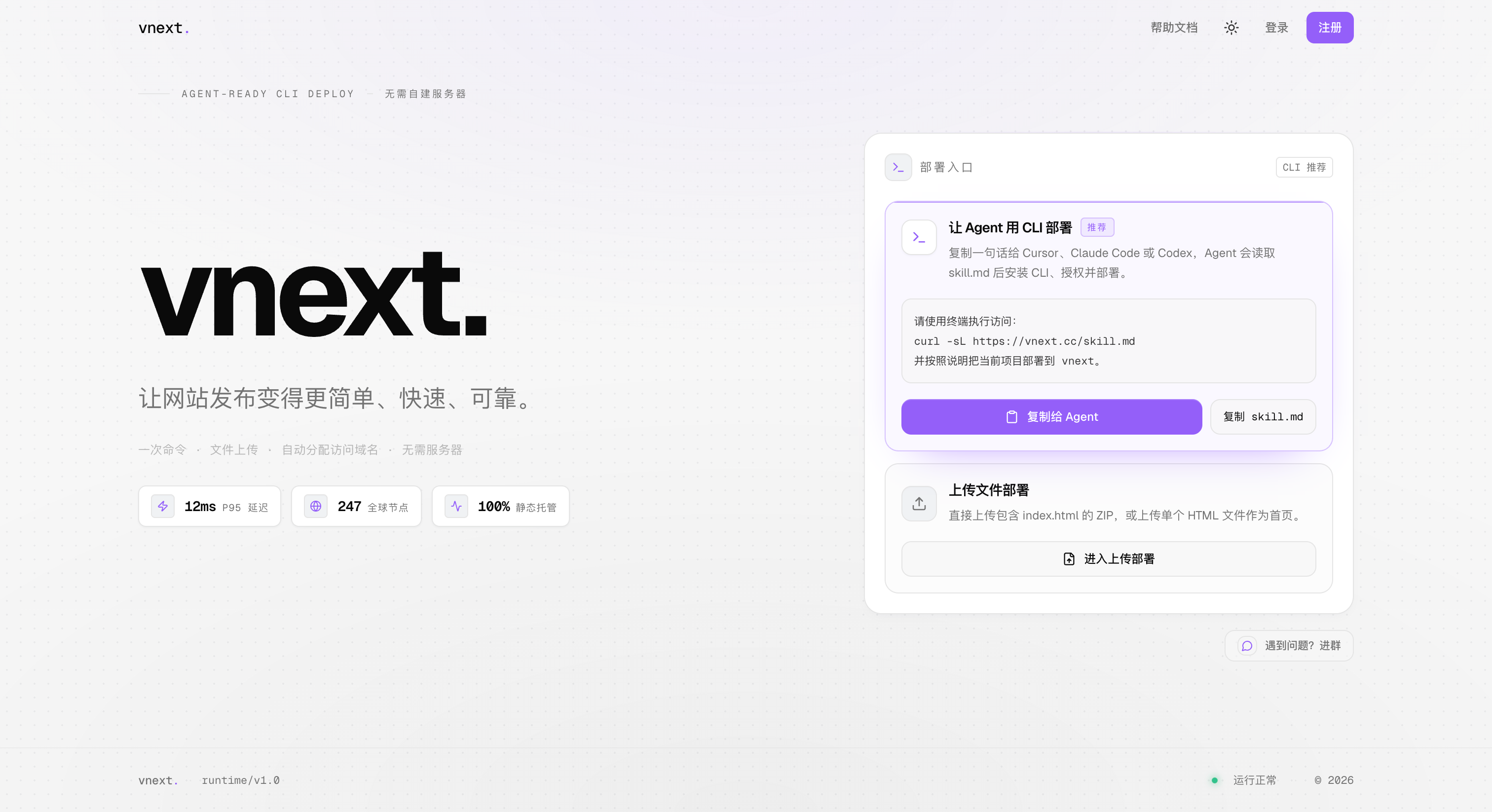
Static website hosting platform that lets you deploy and go live with just one prompt to your AI Agent.
vnext is a static website hosting platform. It offers similar functionality to Vercel and Netlify, with one key difference: native support for AI Agent deployment.

Agent Deploy
vnext is compatible with all mainstream AI coding tools (Claude Code, Codex, Cursor, OpenCode, etc.) All you need to do is give your Agent a single prompt:
Please run the following command in your terminal:
curl -sL https://vnext.cc/skill.md
and follow the instructions to deploy your current project to vnext.
The Agent will automatically handle all subsequent steps:
- Read the vnext deployment guide
- Detect your project type (Vite, React, Astro, plain HTML, etc.)
- Run the build process
- Identify the output directory
- Package and upload the files
- Return the public URL
The entire process requires no manual terminal operation from you, no familiarity with build workflows, and no prior configuration.

In addition to Agent deployment, standard deployment methods are also supported
CLI Deployment:
npm i -g @vnxt/cli
vnext login
vnext deploy
The CLI automatically detects common output directories including dist, build, out, and .output/public, and assigns a *.vnxt.cc subdomain after packaging and uploading your files.
Drag-and-drop Upload:
Open the vnext.cc dashboard, then simply drag and drop a ZIP archive or single HTML file to upload it.
Platform Features
- Supports any framework capable of outputting static files
- Automatically assigns
*.vnxt.cc subdomains
- Custom domain binding support
- SPA fallback
- Deployment history and version rollback
- Traffic analytics (PV/UV)
- Global content delivery via Cloudflare edge nodes
Links